
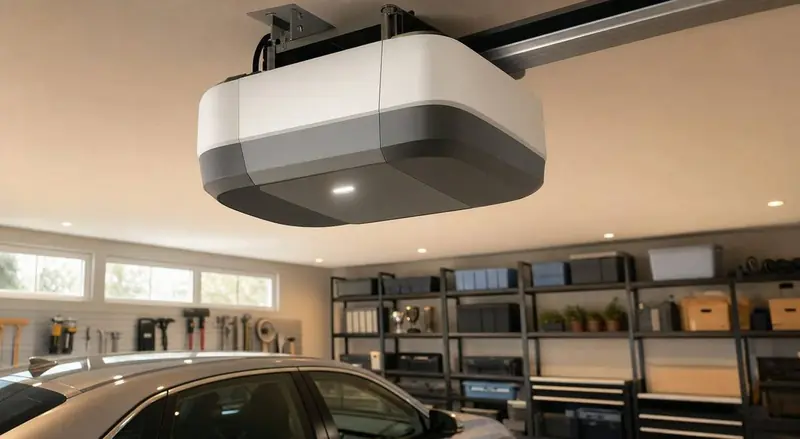
If you're an Apple Home household and you just found out your LiftMaster or Chamberlain myQ opener doesn't actually support Siri or the Home app, you're not alone. Chamberlain officially discontinued native Apple HomeKit support for myQ in June 2024, and it hasn't come back — but there are still solid ways to get real Apple Home control of your garage door.
Why myQ and Apple Home stopped working together
Chamberlain Group, which owns both the Chamberlain and LiftMaster brands, discontinued its myQ Home Bridge hardware and blocked the third-party APIs that tools like Homebridge relied on to translate myQ into HomeKit. As a result, myQ-enabled openers connect fine to Alexa and Google Home, but there is currently no official, supported way to add a myQ opener directly into the Apple Home app.
Controllers with native Apple Home support
Rather than fighting the myQ ecosystem, some homeowners choose a controller built specifically for HomeKit compatibility from the start. Meross's smart garage door controller line, for example, is designed to work with Apple Home, Google Home and Alexa simultaneously, and installs as an add-on relay to your existing opener rather than requiring a full opener replacement. This is often the simplest path if Apple Home integration matters more to you than staying on the myQ app specifically.
Bridge and workaround options for existing myQ setups
If you already have a LiftMaster or Chamberlain myQ opener and don't want to replace it, third-party hardware bridges such as the ratgdo32 controller connect directly to your opener's wiring and expose it to Apple Home locally, without depending on Chamberlain's cloud or blocked APIs. These are a popular workaround among tech-comfortable homeowners, though they do involve some wiring and setup — DPS technicians can advise on wiring access when installing or servicing your opener if you're planning to add one yourself.
What you lose without native integration
Without a HomeKit-compatible controller or bridge, you can still fully control a myQ opener through the myQ app and through Alexa or Google Assistant — you simply won't see it in the Apple Home app or be able to include it in HomeKit automations and scenes, and you won't get native Siri voice commands for the garage door specifically.
Setting realistic expectations for smart home shopping
If you're shopping for a new opener today and Apple Home matters to you, check current HomeKit or Matter compatibility before buying rather than assuming any Wi-Fi-enabled opener will work with Siri — this is one of the most common surprises we hear about from Ottawa customers who assumed "smart" meant "works with everything."
Security and safety considerations with any smart controller
Regardless of which ecosystem you choose, any internet-connected garage door controller should have working photo-eye safety sensors, a secure Wi-Fi network, and rolling-code security (standard on all modern LiftMaster and Chamberlain openers) to prevent unauthorized access. Voice-activated closing should always require a confirmation step or PIN, which most platforms, including Apple Home, enforce by default for garage door accessories.
Professional installation for bridges and add-on controllers
Wiring a bridge device like a ratgdo32 or a relay-based controller like Meross into your existing opener isn't overly complex, but incorrect wiring can affect the opener's safety circuit. DPS can install or verify any smart controller add-on as part of a service visit, and we always test safety sensor function afterward — see our related winter maintenance guide for other seasonal opener checks worth doing at the same time.
Comparing the main approaches side by side
There are really three practical paths for an Apple Home household: replace the controller with a purpose-built HomeKit device, add a bridge to your existing myQ hardware, or simply accept that garage control lives in a separate app alongside your other Apple Home devices. A full controller replacement (like a Meross unit) tends to be the most reliable long-term choice since it's designed for HomeKit from the start and receives ongoing firmware support for that specific use case. A bridge device is a good middle ground if you like your current opener and just want Apple Home visibility without a full swap. Sticking with separate apps is the lowest-effort option but means garage control won't appear in whole-home automations, like a "leaving home" scene that also locks doors and adjusts the thermostat.
What Matter's slow rollout means for garage doors specifically
Matter, the cross-platform smart home standard backed by Apple, Google and Amazon, has been slow to add formal garage door opener support compared to categories like lighting and locks. Several manufacturers have signaled future Matter compatibility for garage controllers, but as of 2026 there is no widely adopted, fully Matter-certified garage door opener on the market. This means today's HomeKit compatibility for garage doors is still largely built on manufacturer-specific "Works with Apple Home" support or third-party bridges rather than the more universal Matter standard used elsewhere in the smart home.
Battery backup and power outage behaviour with smart controllers
Ottawa's winter storms occasionally knock out power for extended periods, and it's worth checking whether your chosen smart controller setup includes or supports battery backup — LiftMaster's higher-end openers include this natively, but third-party bridge devices added on top may not maintain smart connectivity during an outage even if the opener itself has backup power. If remote monitoring during outages matters to you, confirm this specifically before choosing a bridge solution.
Cost considerations for adding Apple Home compatibility
Bridge devices and dedicated HomeKit-compatible garage controllers are generally inexpensive compared to a full opener replacement — they're add-on hardware rather than a motor unit. The bigger cost consideration is usually whether you want a technician to handle the wiring and safety-sensor verification versus doing a DIY install yourself; DPS can bundle this into a regular service visit if you'd rather not open up the opener's control board on your own.
A quick decision checklist
If you're deciding what to do this week: confirm your current opener's exact model and learn-button colour, check whether it has any official Apple Home support before assuming it doesn't, decide whether you're comfortable with a bridge-device wiring project or would rather have a technician handle it, and factor in whether battery backup during outages matters enough to influence which bridge or controller you choose. Working through these four points before buying anything prevents the most common frustration we hear about — a device purchased online that turns out not to be compatible with the specific opener already installed.
FAQ
Will myQ ever add Apple Home support again?
There's no announced timeline as of 2026. Chamberlain's public statements have focused on Alexa and Google Assistant integration rather than restoring HomeKit.
Can I use both the myQ app and a HomeKit bridge at the same time?
In most bridge setups, yes — the bridge reads the opener's state and relays commands without disabling the original myQ app functionality.
Do Apple Home garage door controllers work with existing LiftMaster doors, or do I need a new door?
You can almost always keep your existing door and opener; the controller add-on integrates with the opener's control wiring rather than requiring a new door.