
Start with the obvious, most-common culprit: the battery
It sounds almost too simple, but a weak or dead battery accounts for the majority of remote complaints we hear about. Garage door remote batteries typically last one to two years depending on usage, and they tend to fail gradually — shorter range first, then intermittent response, then nothing. If your remote has gotten less reliable over the past few weeks rather than failing suddenly, a fresh battery is the first thing to try.
Working through the full checklist
- Replace the battery with a fresh one of the correct type — most remotes use a small coin-cell or 3V battery, clearly marked inside the case.
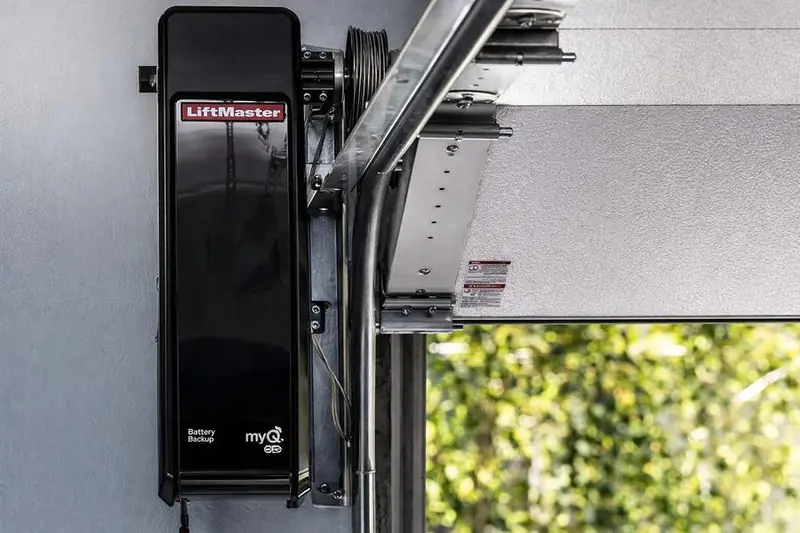
- Check the antenna on the opener unit itself. The receiving antenna, usually a short wire hanging from the motor unit, should hang freely and not be tangled, bent up against the ceiling, or wrapped around anything metal, all of which reduce receiving range significantly.
- Test at close range. Stand within a metre or two of the opener and try the remote. If it works up close but not from your driveway, that points to a range or interference issue rather than a dead remote.
- Rule out interference. Certain LED lights, some Wi-Fi routers, and other radio devices can occasionally interfere with garage door remote frequencies. If you've recently installed new lighting or electronics near the garage, that's worth testing as a variable.
- Reprogram the remote. Most openers have a "learn" button on the motor unit. Press it, then within about 30 seconds press and hold the remote button you want to program until the opener light blinks or clicks, confirming the code has been learned.
- Check for a stuck or damaged button. Years of use and dropped remotes can wear out the internal contact under a button, causing it to feel like it's pressing but not actually completing the circuit.
If reprogramming doesn't work
If the remote won't reprogram no matter how many times you try the learn-button sequence, the remote's internal transmitter itself may have failed, or the opener's receiver could be the problem. To isolate which one, test a second remote or your vehicle's built-in garage door button (if equipped) on the same opener — if that works fine, the issue is specific to the one dead remote and a replacement will solve it.
Wall-mounted control panel acting up too?
If your interior wall button is also unresponsive alongside the remote, that points toward a bigger issue — likely the opener's control board or power supply rather than a remote-specific problem. See our guide on garage door opener not working for that scenario.
Smart openers and phone app control
If you've upgraded to a smart Wi-Fi opener and the physical remote works but the phone app doesn't (or vice versa), that's a connectivity issue rather than a remote hardware issue — check your home Wi-Fi signal strength near the garage first. Our smart opener guide covers common connectivity troubleshooting.
We stock and program replacement remotes and keypads compatible with most major opener brands, and can usually resolve remote issues in a single short visit. Explore current opener options in our opener lineup, or if the sensors rather than the remote seem to be the actual problem, see our sensor troubleshooting guide.
Universal remotes and compatibility issues
If you've purchased a generic or universal replacement remote rather than one from your opener's original manufacturer, compatibility can sometimes be the actual issue rather than a fault with your opener at all. Universal remotes need to be programmed to match your opener's specific frequency and code type, and not every universal remote supports every opener brand's security protocol. If a brand-new universal remote won't program no matter what you try, checking compatibility with your exact opener model before troubleshooting further can save a lot of frustration.
Vehicle-integrated garage door buttons
Many vehicles include a built-in garage door control button, typically on the rearview mirror or overhead console, which needs its own separate programming process, usually different from a handheld remote's learn-button sequence. If your vehicle's built-in button has stopped working while a handheld remote still works fine, that points to the vehicle-side programming rather than the opener itself, and your vehicle's owner's manual will have the specific reprogramming steps.
How many remotes can one opener support?
Most modern openers support multiple remotes, keypads, and vehicle-integrated buttons simultaneously — there's no need to "give up" an old remote's programming to add a new one in most cases. If you're not sure how many devices are currently programmed to your opener, or want to clear out old ones (useful if you've sold a vehicle with an integrated opener button, for instance), most openers have a way to clear all codes and reprogram from scratch, detailed in the opener's manual.
Keeping a spare
Once you've got a working remote, it's worth having a labeled spare battery on hand, or even a second programmed remote kept somewhere accessible, so a future dead battery doesn't leave you locked out of easy garage access while you sort out a replacement.
Weatherproofing your outdoor keypad
If your remote issue is actually with an exterior wireless keypad rather than a handheld remote, check that its weatherproof cover or seal hasn't degraded — years of Ottawa weather, including direct sun exposure and winter cold, can crack keypad housings or let moisture in, causing intermittent button response. A cracked or moisture-compromised keypad is often more cost-effective to replace than repair.
Programming multiple remotes without confusing yourself
If your household has several remotes, vehicle-integrated buttons, and a keypad all programmed to one opener, it's easy to lose track of what's active. When adding or removing a device, test immediately after programming to confirm the change took effect as expected, and keep a simple written note of what's currently programmed — genuinely useful if you ever need to do a full code reset and reprogram everything from scratch.
If nothing here resolves it
Occasionally the issue is neither the remote nor obvious wiring but a fault in the opener's receiver circuit board itself — less common, but it happens, particularly on older units. If you've methodically ruled out battery, antenna position, range, and reprogramming without success, that's the point where a technician's diagnostic visit becomes the efficient next step rather than continuing to guess.
When it's time to stop troubleshooting and call
If you've worked through batteries, range, antenna position, and reprogramming without success, further guessing rarely helps. A technician can quickly determine whether the issue is the remote, the receiver, or the opener's control board, and get you back to reliable operation without the trial-and-error.
A note on very old remotes
If your remote is a decade or more old, using an older fixed-code or early rolling-code technology, it may simply no longer be reliably compatible with current opener security standards even after a fresh battery and reprogramming attempt. In that case, replacing the remote itself with a current model compatible with your opener is usually more practical than continuing to troubleshoot aging technology.
Why we check the whole system, not just the remote
When we're called out for a "remote not working" issue, we check the remote, the receiver, the antenna, and the wiring as a complete system rather than assuming the problem is wherever the symptom appears to be. This whole-system approach avoids the frustrating cycle of replacing a remote that wasn't actually the problem in the first place.
Frequency interference from newer home technology
Some newer smart home devices, baby monitors, and wireless security cameras operate on frequencies that can occasionally interfere with older garage remote systems, particularly older models operating on shared frequency bands. If your remote's reliability dropped around the same time you added new wireless devices to your home, that timing coincidence is worth mentioning to a technician, since it may point toward interference rather than a fault with the remote or opener itself.
Testing methodically instead of randomly
A methodical approach — testing right next to the opener first, then gradually increasing distance, testing a spare remote if you have one, and testing at different times of day — gives far more useful diagnostic information than randomly trying the remote a few times and concluding it's simply broken. This structured approach often reveals the actual pattern (distance-dependent, time-dependent, or fully non-functional) that points toward the right fix.
Still stuck after trying all of the above? Call (613) 884-1488 and we'll get you a working remote same-day.